

★How to Batch Download Water, Watermark-Free Images and Videos from Doubao AI (2025 Working Method)★
If you’ve ever spent hours chatting with Doubao AI (doubao.com) and ended up with dozens or even hundreds of stunning AI-generated images and videos, you know the pain: the official site only lets you save them one by one, and every saved image comes with an ugly watermark.
There’s now an open-source tool that completely solves this — doubao-downloader. It works as either a browser extension or a Tampermonkey/Violentmonkey userscript and lets you download all images and videos from the current conversation in their original watermark-free quality with a single click.

What This Tool Actually Does
- 🍄
Shows every image and video generated in the current chat in real time (even if you scroll up to old messages) - 🍄
Automatically strips the official watermark — you get the clean, original files - 🍄
One-click bulk download of all images as a ZIP file - 🍄
Full support for watermark-free video downloads - 🍄
Tiny floating panel in the bottom-right corner of doubao.com
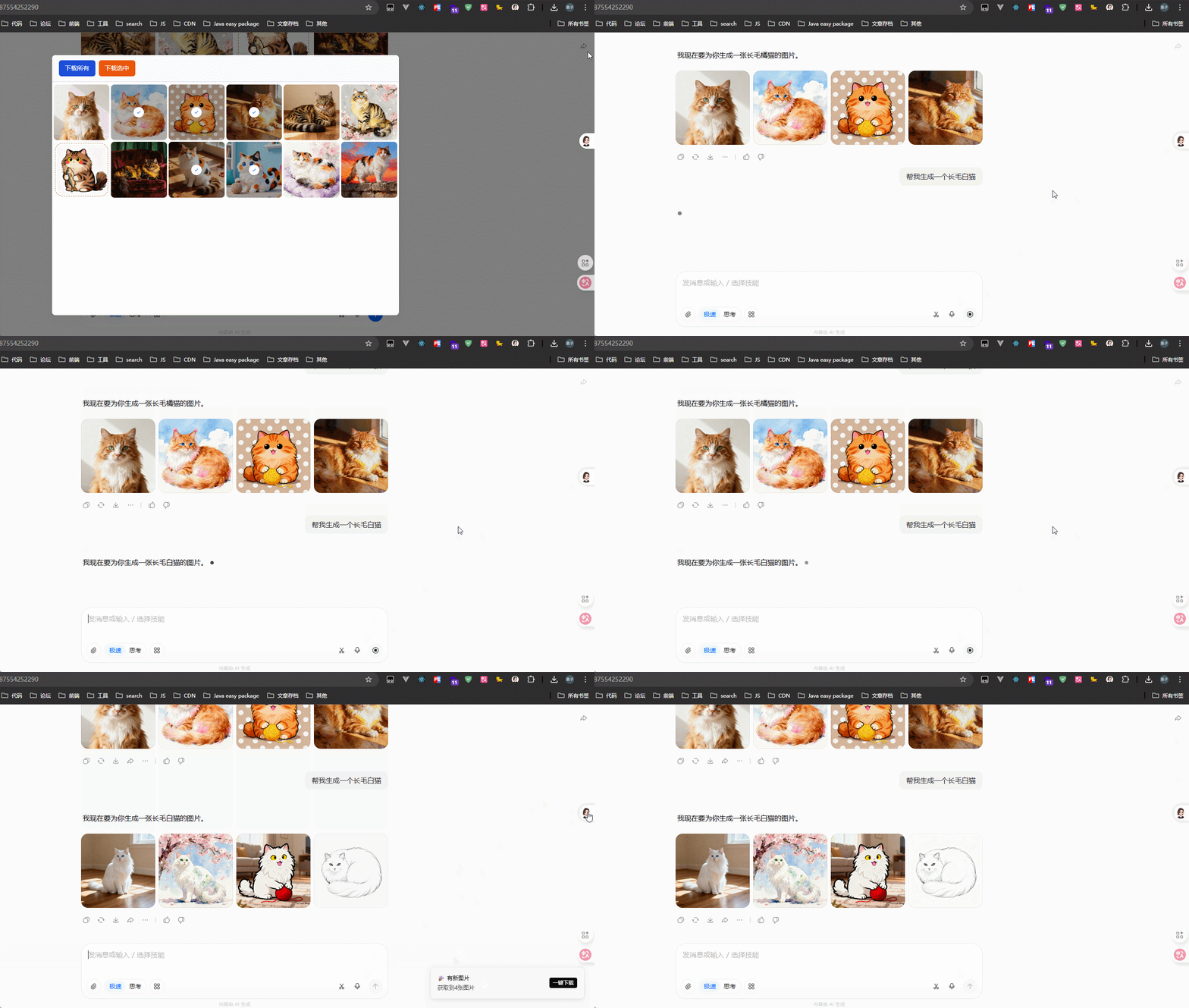
Here’s what it looks like in action:
Real-time conversation scanning

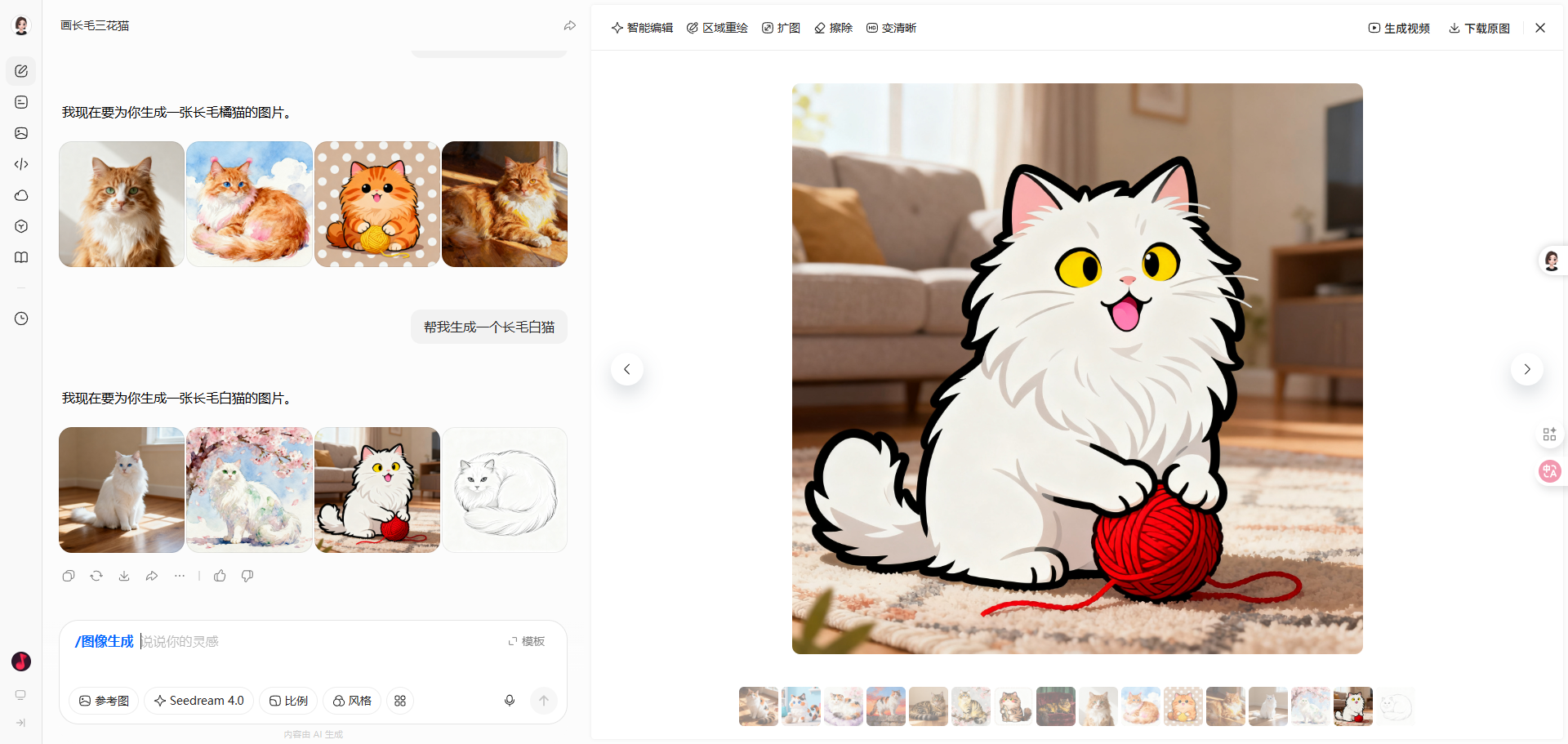
Clean, watermark-free preview

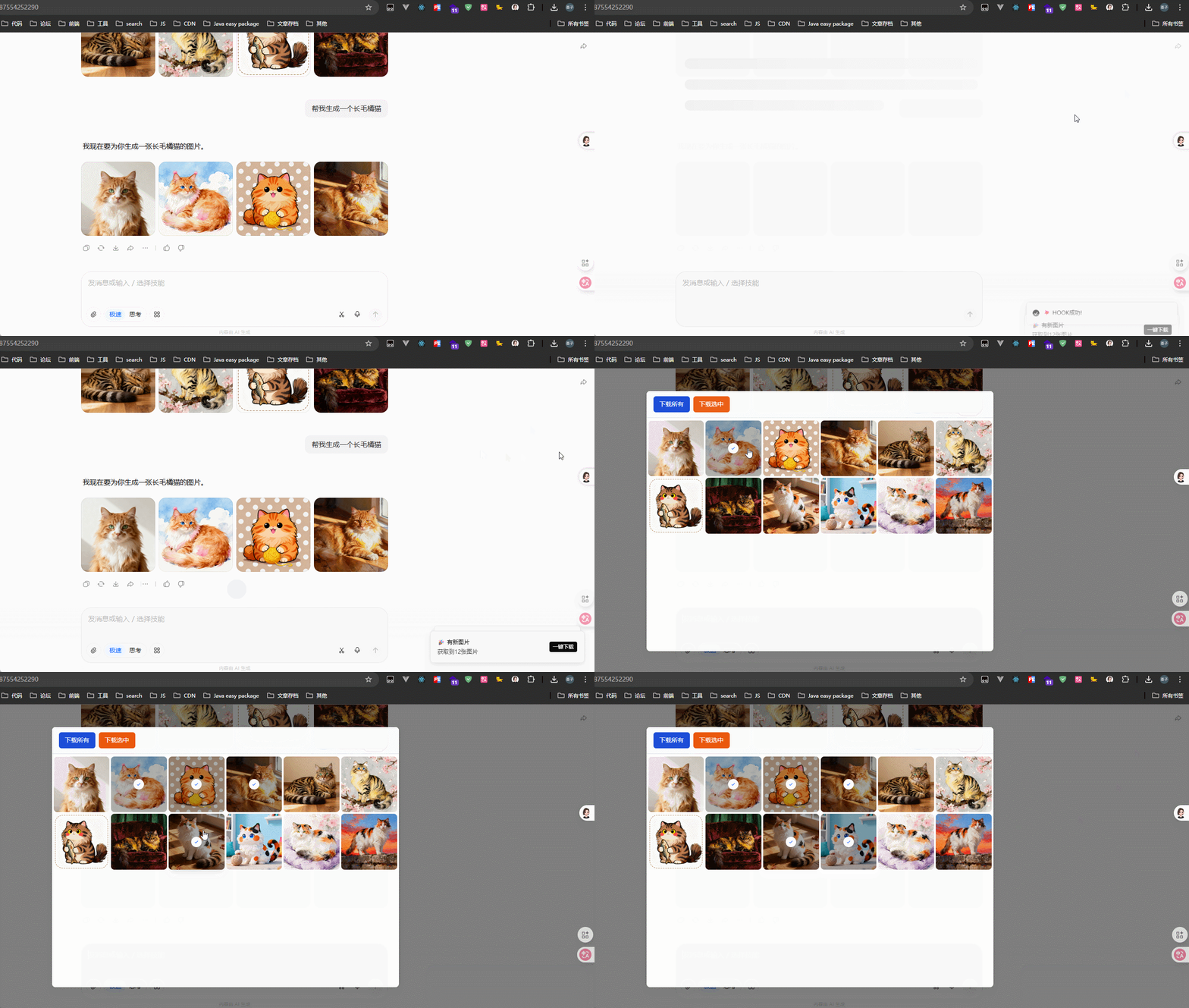
Bulk download all images at once
Two Easy Ways to Install It (Tested November 2025)
Method 1: Tampermonkey / Violentmonkey Userscript (Recommended — takes 10 seconds)
Perfect if you already use Tampermonkey, Violentmonkey, or any other userscript manager.
Steps:
-
Go to the Releases page:
https://github.com/LauZzL/doubao-downloader/releases -
Download the latest doubao-downloader.user.js -
Open your userscript manager → “Create a new script” → paste or drag the file in -
Save and refresh doubao.com — done!
Method 2: Install as a Chrome/Edge/Brave Extension
-
Download the .crxor.zipfile from the same Releases page -
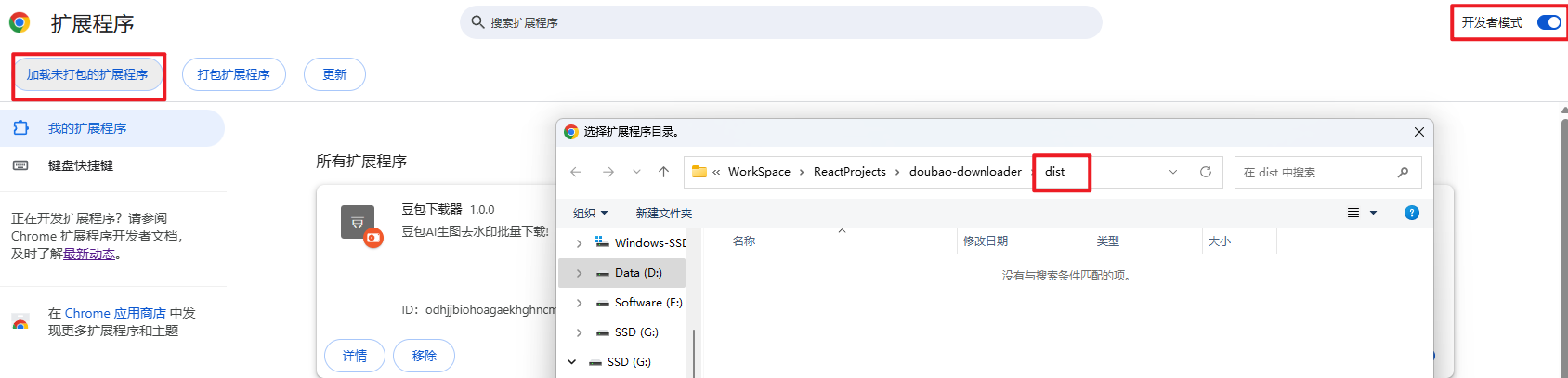
Open chrome://extensions/(or the equivalent in your browser) -
Enable “Developer mode” in the top-right corner -
Drag the .crxfile directly into the page, or unzip the.zipand click “Load unpacked”

Once installed, a small floating window appears in the bottom-right corner of doubao.com showing every image in the conversation.
How to Download Watermark-Free Videos
Yes, videos work too — completely without watermark.
Full details here:
https://github.com/LauZzL/doubao-downloader/issues/6
In short: when Doubao finishes generating a video, its thumbnail appears in the floating panel. Click the download button on the right and you get the original clean file.
Want to Modify or Contribute? Here’s the Tech Stack & Local Development Setup
The project is modern, clean, and very beginner-friendly for anyone with basic front-end knowledge.
Stack:
- 🍄
React 19 (the latest major version at time of writing) - 🍄
TypeScript - 🍄
Tailwind CSS 4
Local Development (Userscript Mode)
git clone https://github.com/LauZzL/doubao-downloader.git
cd doubao-downloader

# Install dependencies
yarn install
# or: npm install

# Start dev server (automatically rebuilds the .user.js file)
yarn dev
Just drag the generated .user.js into Tampermonkey to test your changes live.
Build for Production / Release
yarn build
This creates a dist folder containing:
- 🍄
Everything needed for a full browser extension - 🍄
The final doubao-downloader.user.jsuserscript
Frequently Asked Questions (FAQ)
Q: I installed it but nothing shows up?
A: Make sure you’re on the official https://www.doubao.com (some mirror sites won’t work). Hard refresh the page (Ctrl + F5).
Q: Some images are missing from the panel?
A: Doubao loads images lazily. Scroll through the entire conversation so every image loads — the panel updates in real time.
Q: Downloaded images still have watermarks?
A: Extremely rare. The tool hooks JSON.parse and grabs the raw URLs before the watermark layer is added. If it ever happens, it means Doubao changed their API — open an issue on GitHub.
Q: Does it work in Firefox?
A: Yes, 100%. Just use the userscript version with Tampermonkey or Violentmonkey.
Q: Will I get banned for using this?
A: The tool only reads data your browser already receives. No extra requests are sent, so the risk is practically zero.
Q: Can I use it on other AI image platforms?
A: Currently it’s built specifically for Doubao’s unique API structure.
Q: I want to add dark mode / auto-folder by conversation — possible?
A: Absolutely. The project is fully open source. Feel free to submit a PR or open a feature request.
Why This Works So Well (The Clever Part)
Doubao’s web client already receives the clean, watermark-free image URLs from the backend. The watermark you see is just a CSS overlay added on the frontend. By overriding JSON.parse, the extension intercepts the original URLs before the page has a chance to add the watermark layer. That’s why you always get pristine files.
If you generate a lot of AI art or use Doubao professionally, this little tool will save you hours every week.
Project link (a Star ⭐ is the best way to say thank you):
https://github.com/LauZzL/doubao-downloader
Happy downloading, and enjoy those clean, beautiful AI creations!

